
Race Director is a Mac-native application and system for operating live transponder timing during a race event, and managing the drivers, sessions, and results.
The event is a document. Setting up the event consists of defining the track sessions (the schedule) and importing or defining the entrants (the drivers, cars, and transponder numbers).
Once the event is set up (or even before you've done that, if you're in a hurry), you start recording the transponder data. From there, you can view the sessions as they happen, or after they've been completed. There are various ways to display and export the session results and timing data.
For small organizations that aren't able to staff an operator to attend the system all day, Race Director works well as a "hands-off" system that can be accessed periodically during the day to extract results, even if the schedule changes. You don't have to be at the computer to mark the exact race start and end.
The event as a whole is presented in a document window. The schedule of sessions is shown in the sidebar, and selecting a session displays its results in the main panel. Below that is a scrollable timeline of all timing activity for the entire event. The toolbar and menus provide access to editing the event info and the entrants.
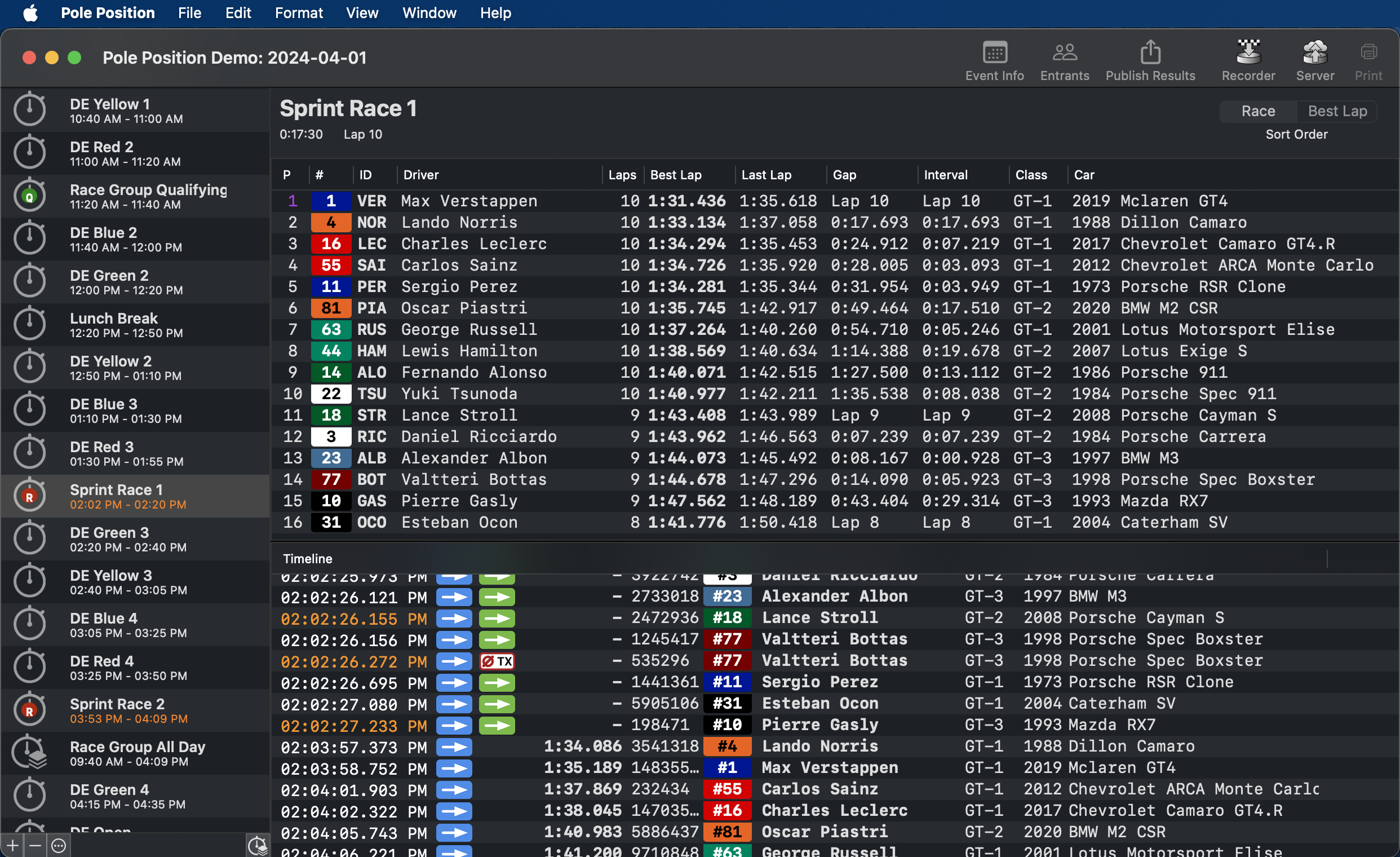
Setting up a session just requires naming it, selecting a session kind and defining its start and end times. The default sort order for a Race session's results is race position order, but you can view it sorted by best lap time.
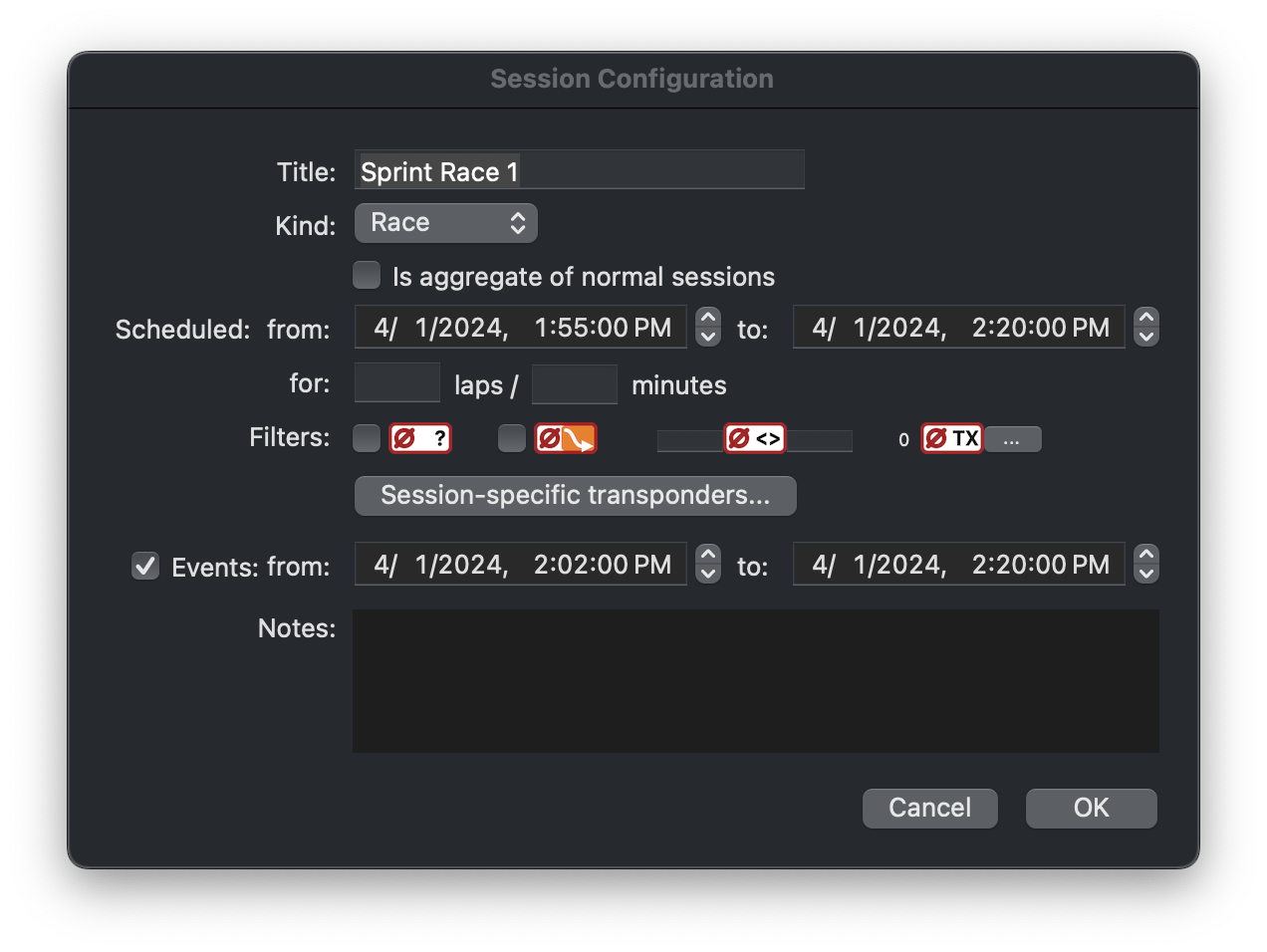
More advanced options for defining a session include:
The session's time range can also be adjusted separately from the original scheduled time. This allows you to capture the correct transponder data for a session regardless of its scheduled start and end time, even if you need to make the adjustment after the fact.
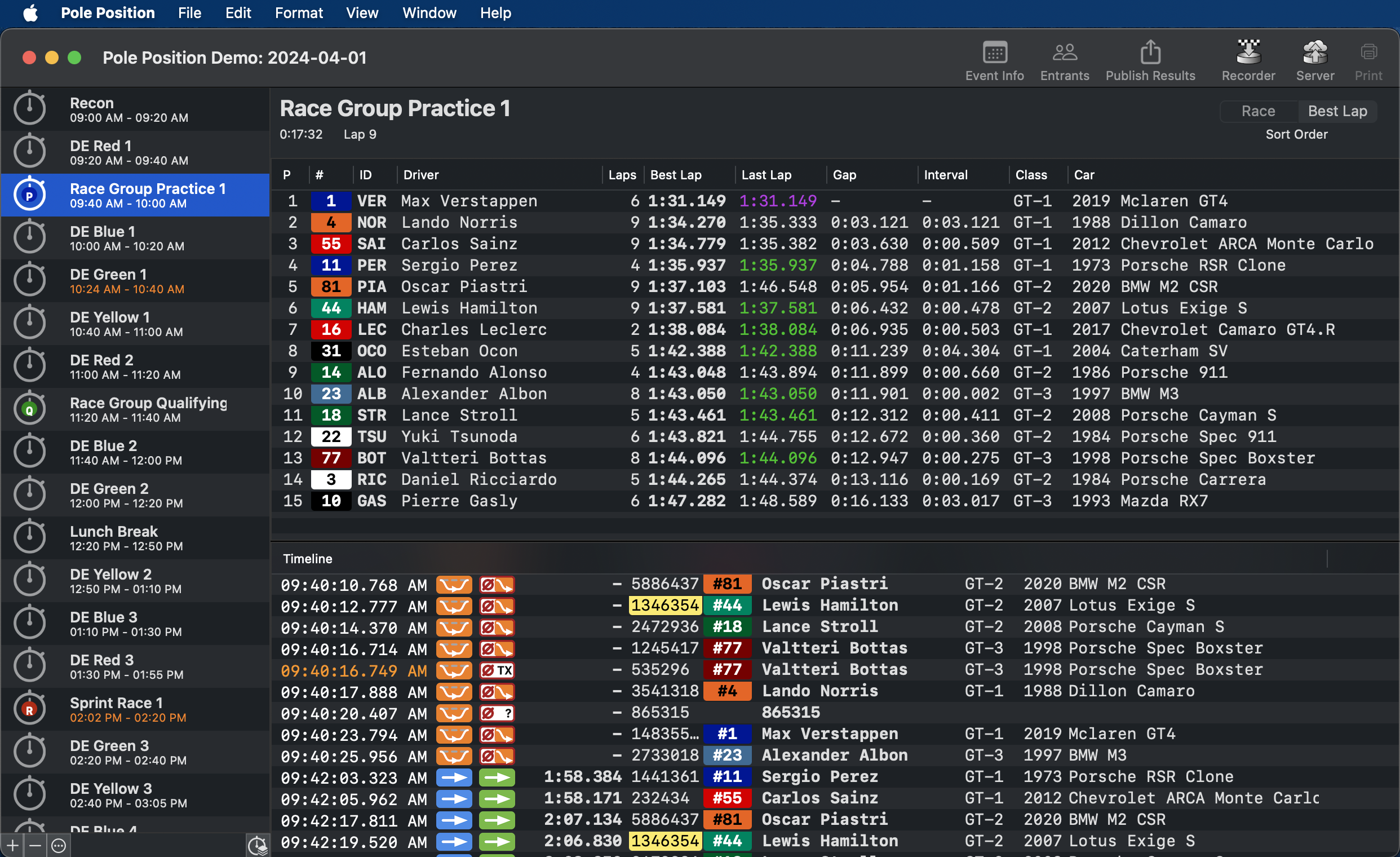
A Practice session (or Qualifying session) defaults to sorting by best lap time.
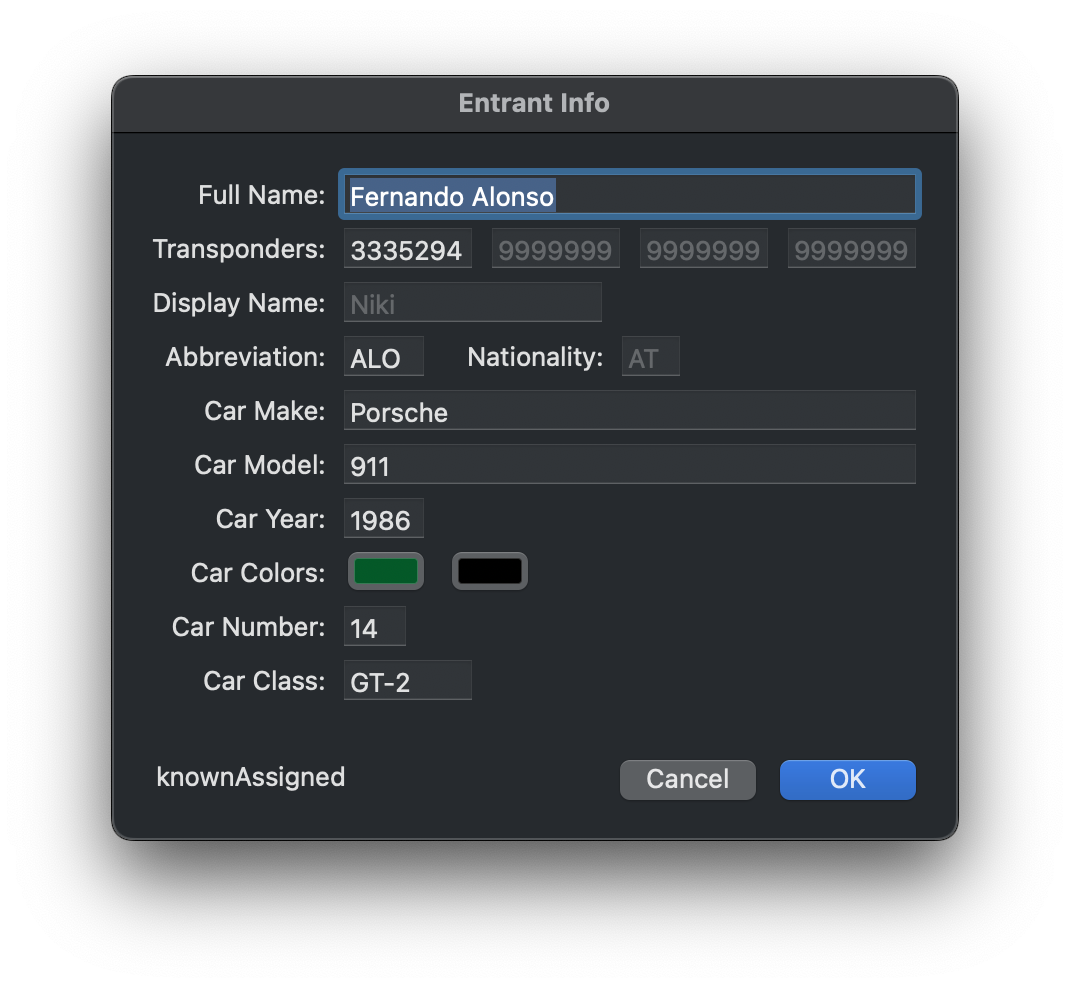
Entrants (essentially a driver with a car and transponder) can be imported from JSON or XML. You can also add and edit entrants in Race Director.
Copyright ©2002-2024 Trygve Isaacson. All Rights Reserved.